Enhance the look and feel of your Caldera Forms with a stylish Elementor widget without the hassles of coding.
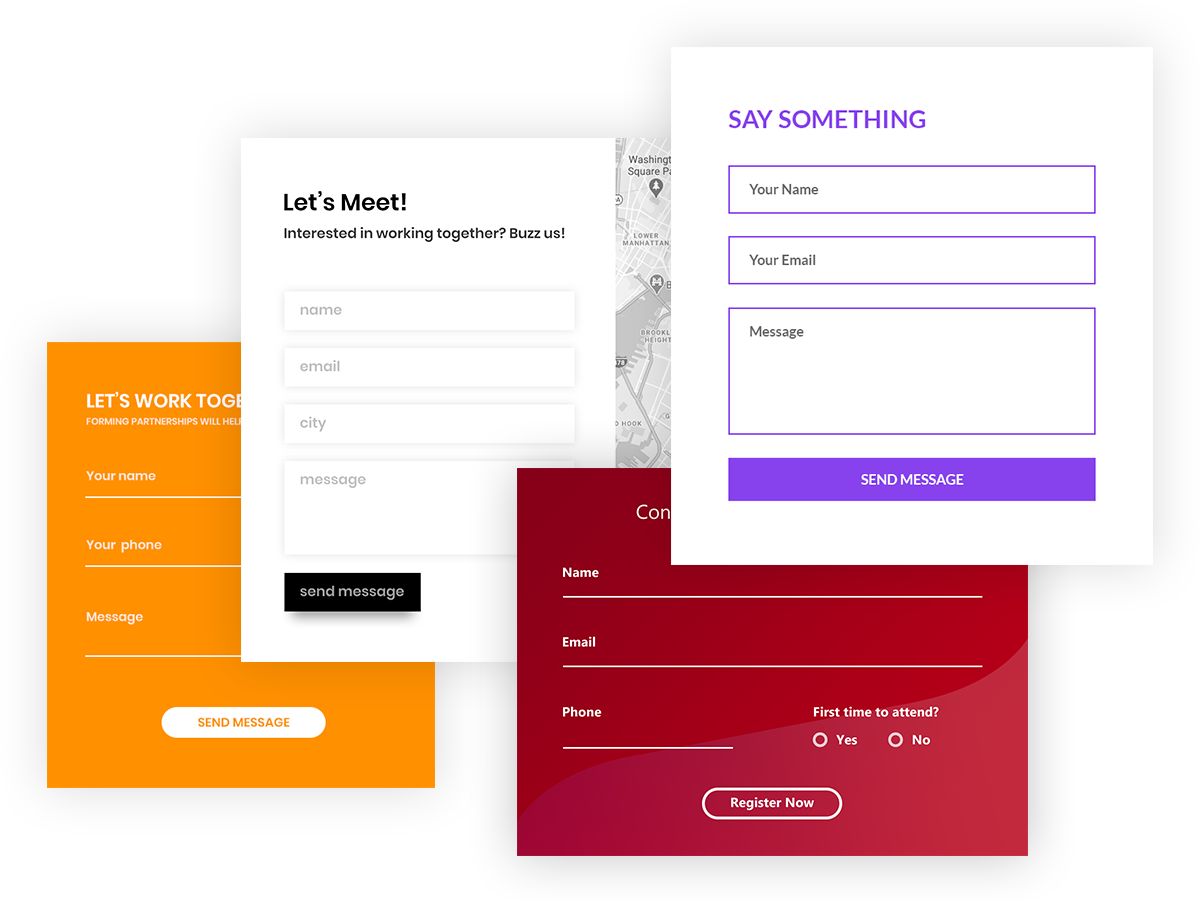
Countless Design Possibilities
For Different Kinds of Forms and Websites!
You might have used Caldera Forms already for different forms on a website. How about designing each of them differently so that they reveal their own purposes? The Caldera Form Styler of the Ultimate Addons lets you enhance the look of your forms so that they suit the website’s theme and their own purpose.
Complete Design Control
To Style Everything on a Form!
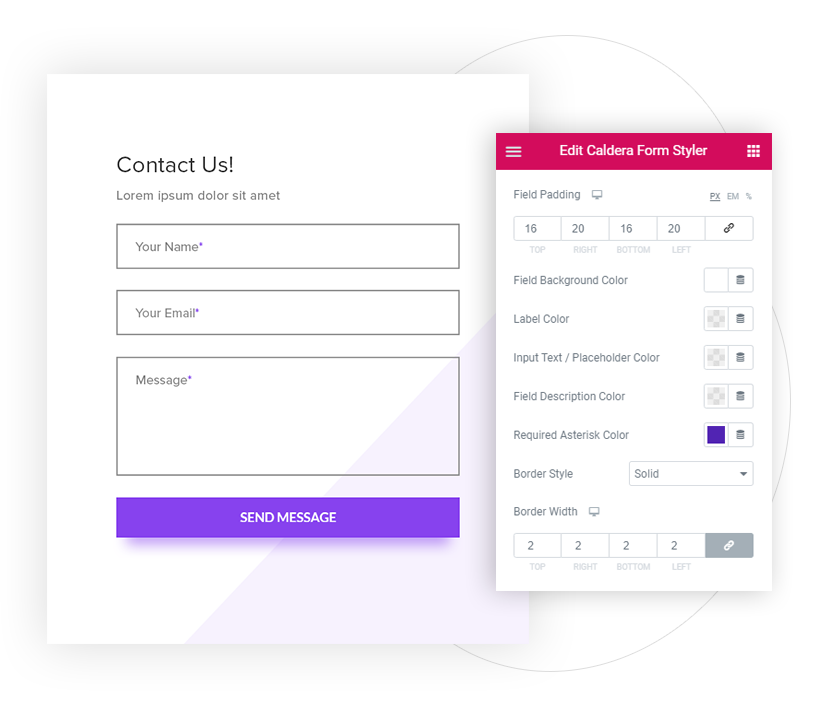
It’s not just the form background or the pretty buttons that you can add! The Caldera Form styler lets you customize everything right from the form fields to the padding and spacing that makes things look well-spaced and good.
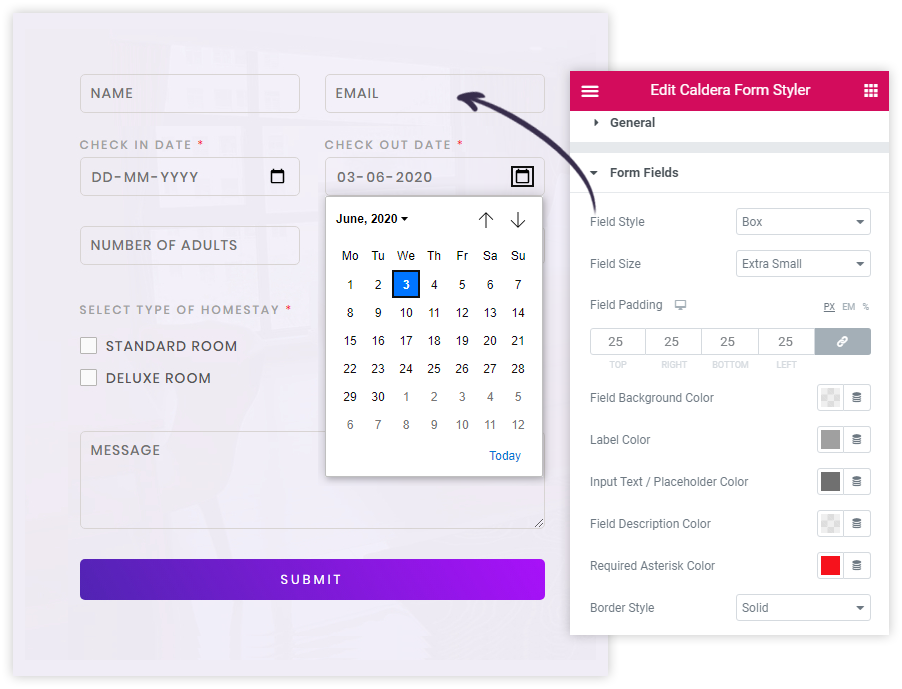
Focus On Input Fields
To Make Them Look More Appealing!
Display attractive input fields with your favorite color, border, spacing, padding so that users can easily find and fill these important fields. You can even choose boxed or underline styles for fields and customize them further.
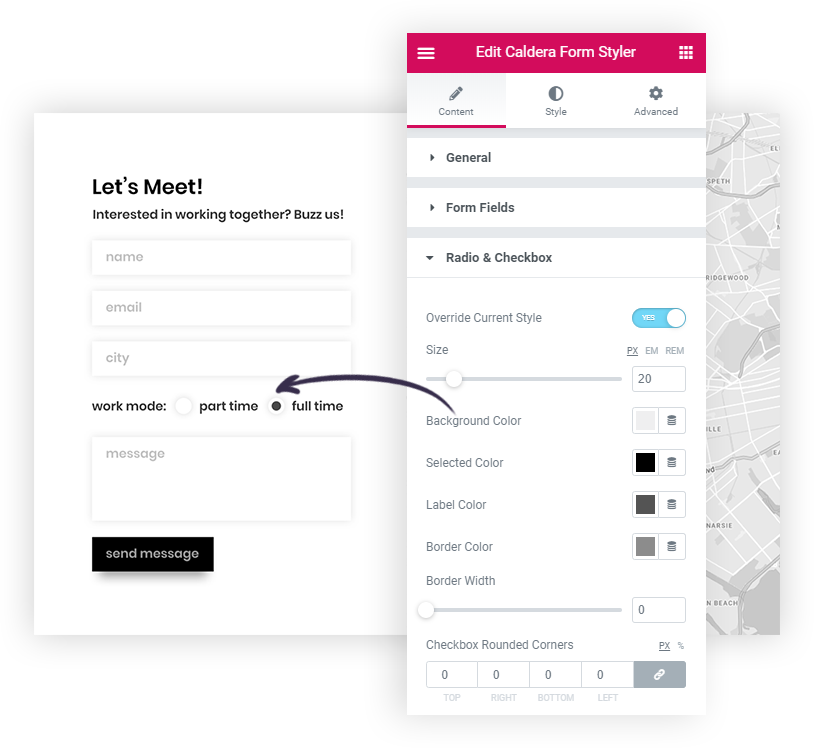
Customized Radio Buttons & Checkbox
Let Users Easily Submit Their Choices!
Radio Buttons & Checkboxes are easy sources to know about the user’s choices. While designing the entire form, don’t let these sections of your form be simple. Design theme completely with different colors and styles.
Stylish Success & Error Message
To Guide Users About Their Next Action!
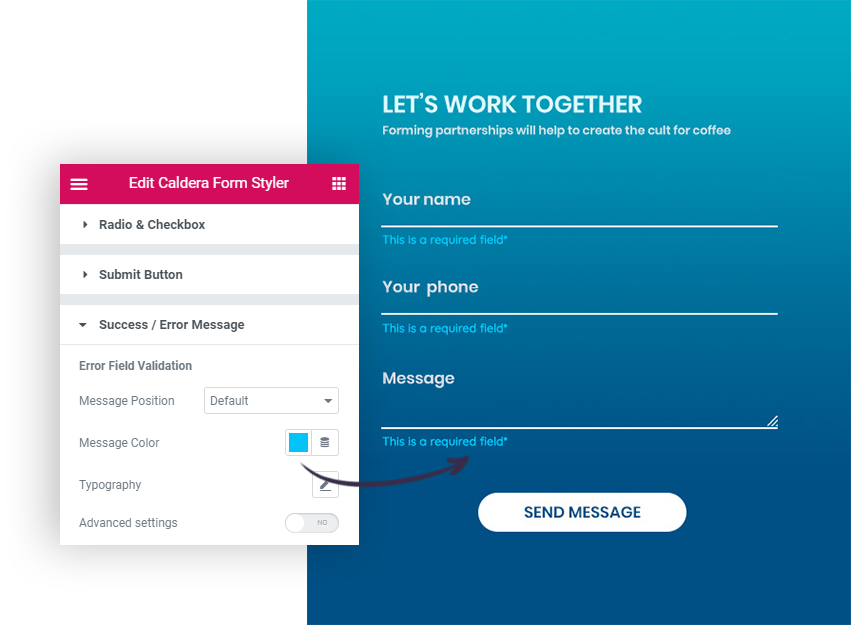
Don’t let users wait for the response after hitting a submit button. Highlight the success or error message so that they can spot if the form submission is successful or not quickly. Manage the typography, font and background colors, etc. to display stylish and trendy success / error messages on the form.
Trendy Background For Buttons
To Jazz up Your Form Buttons!
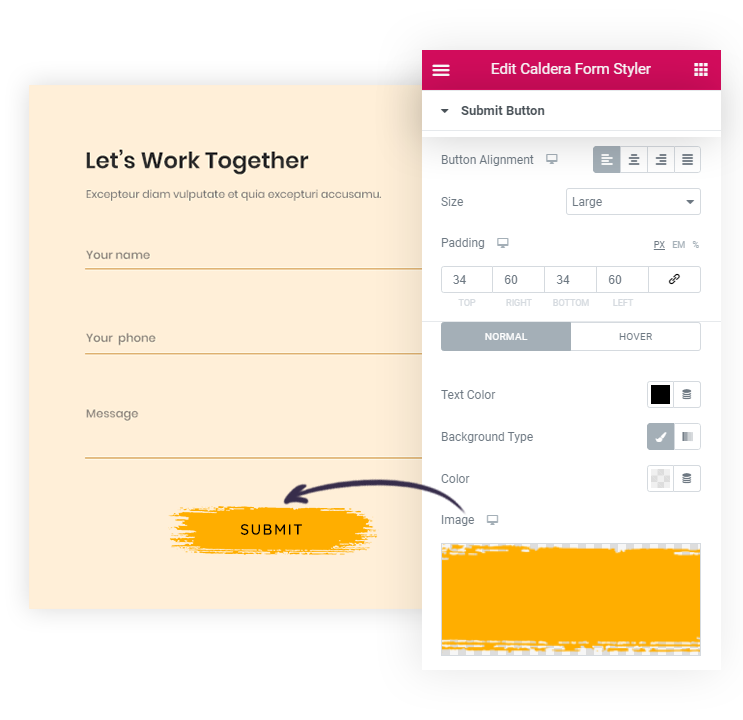
Tired of the dry and simple button? You can choose to add a gradient background or fetch a background image on the button. This will make all your buttons including the submit button look attractive.
Save time and launch faster with 50+ widgets and 300+ templates.