While purchasing any product we all have a few last-minute questions just to be sure that we are making the right decision. While buying a product from a store you could find a salesperson to answer all your queries and objections. In the same way FAQs on the website play an important role in the user’s purchase decision.
Adding FAQs manually on the page can be a tricky and time-consuming task. To make this job easy we are introducing FAQ widget with Ultimate Addons for Elementor version 1.22.0
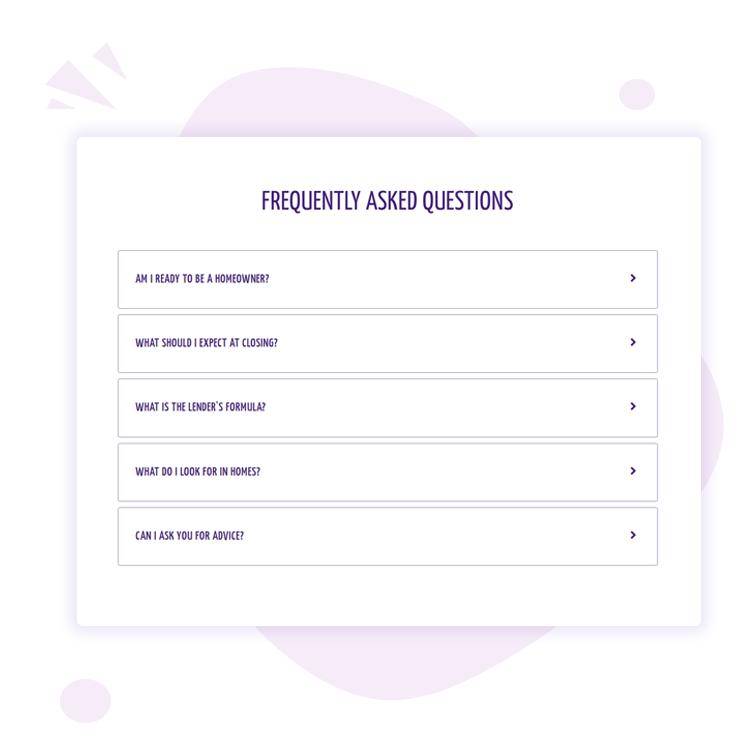
FAQ widget will allow displaying answers easily while adding the required schema markup to your page. So that users, as well as search engines, will love your FAQ page 🙂
How FAQs Can Benefit Your Website?
Better User Experience
Users can find all basic answers in one place instead of requiring to browse across the entire website. It can save time and create a pleasant user experience.
Boost Sales
FAQs placed on the sales page can take away any doubts or objections users might have while purchasing products or services. This will make the purchase decision easier and help to increase your sales.
Build Trust
Addressing any issues or difficulties via FAQs will help users to understand what exactly you offer with product or service. This will build a trust that you are public and there are no hidden terms/conditions.
Higher Search Rankings
FAQ widget adds FAQ schema to the page/post automatically. This will help to display content in a rich snippet.
In case your FAQ matches users’ search query, your page might get a chance to rank higher in the search results. This will ultimately bring more traffic to your site.
FAQ Widget With Ultimate Addons for Elementor
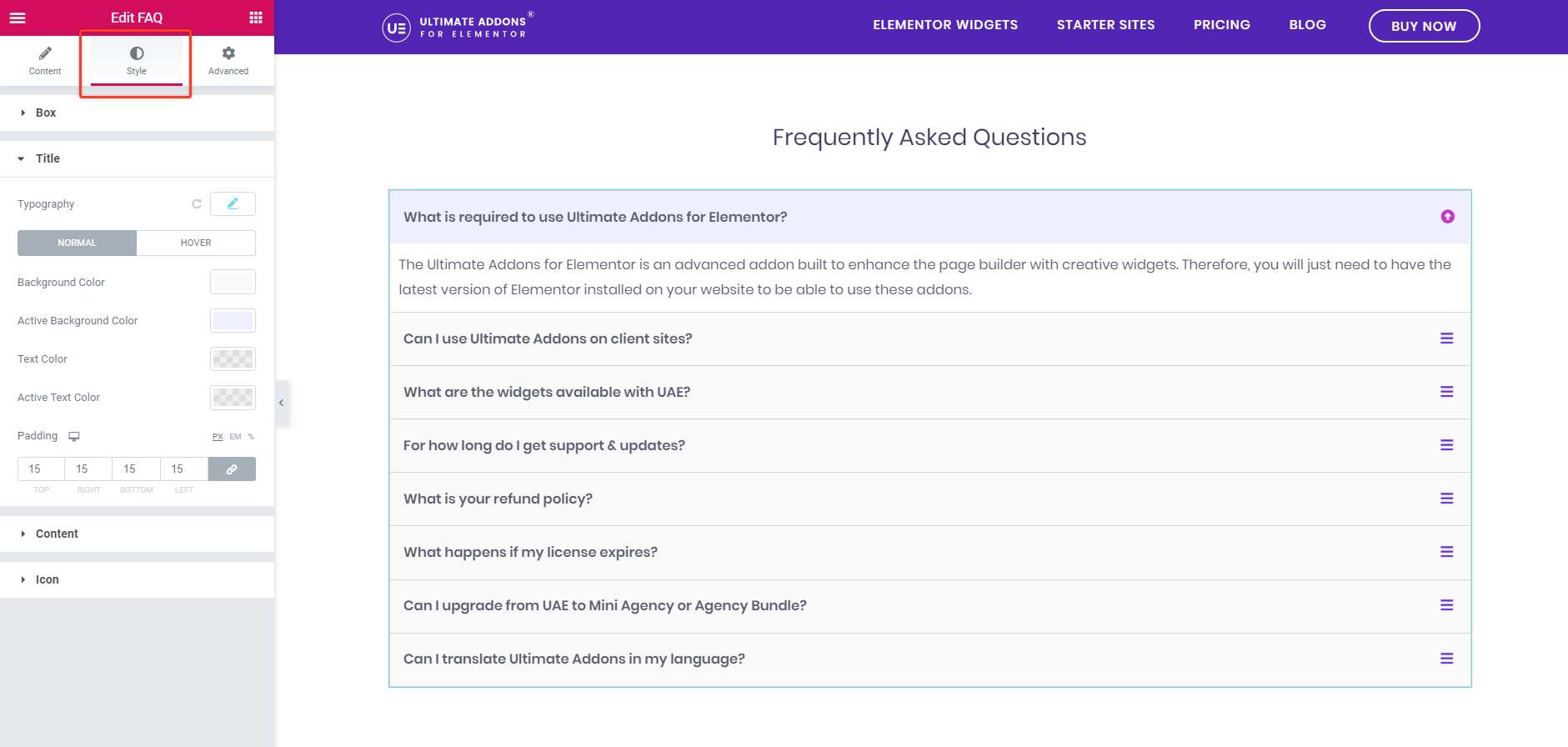
1. Add Content/Saved Section/Saved Page as an Answer to FAQs
You can easily add a number of questions to the list. As an answer, you can add a text or even choose any saved section/page.
2. Choose From Pre-build Layouts – Accordion or Grid
You can creatively display FAQs with accordion or grid layout.
3. Box Style
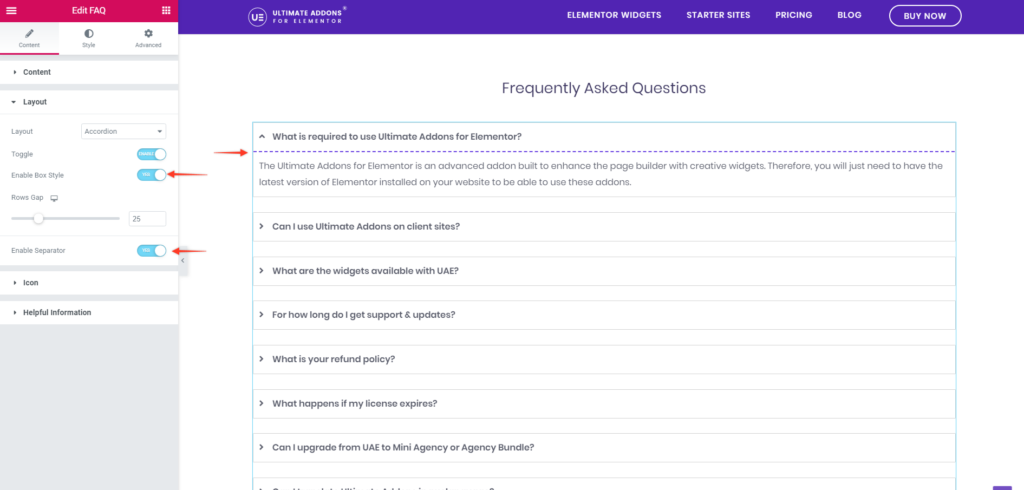
You can enable box style, manage row gap and add separator for each question.
4. Custom Icons
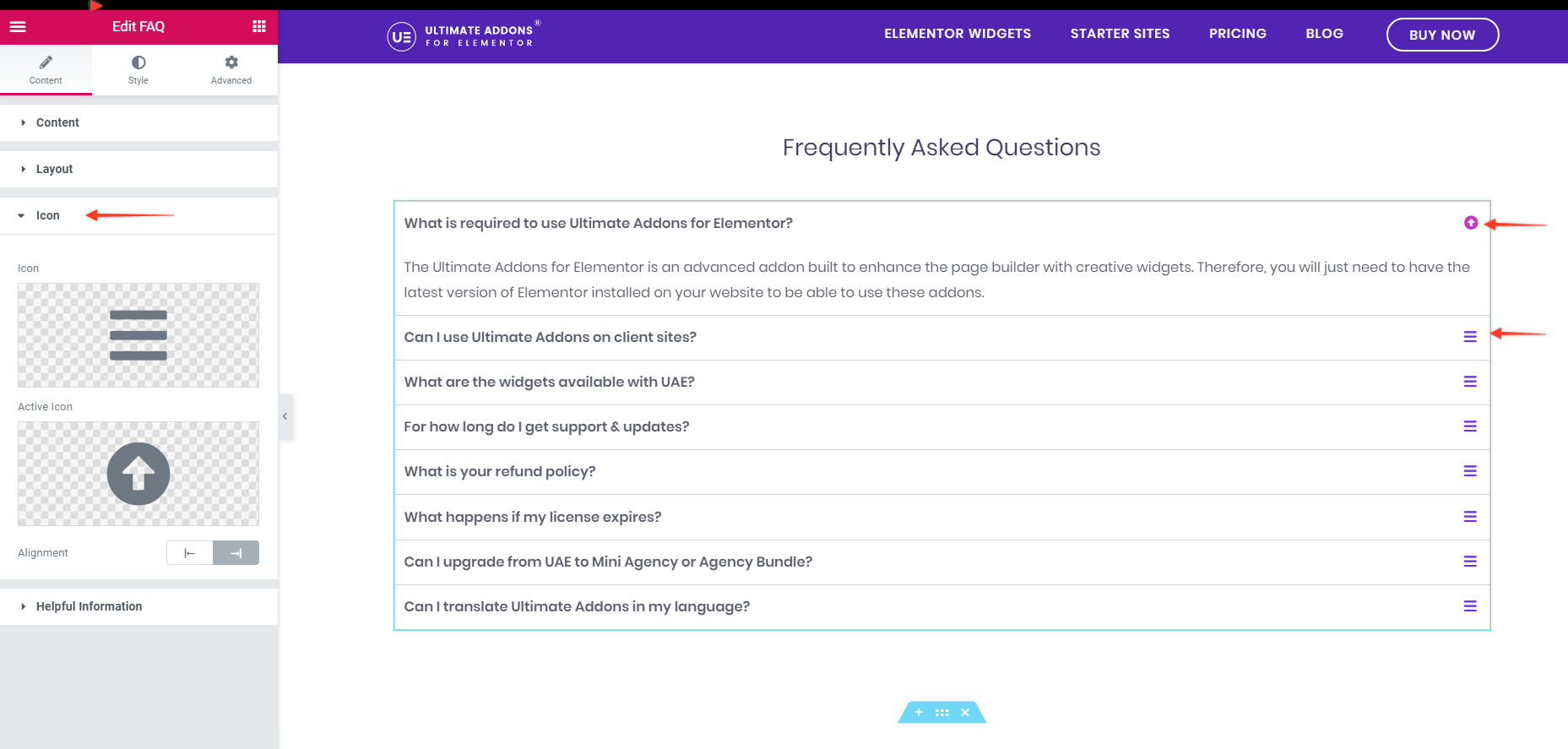
Set your favorite icon for a closed and active box with alignment.
5. Typography and Colors
Set different typography, color, padding and borders for each element.
Performance Optimization With This Update
With this version, we have optimized plugin code too. We have applied some advanced techniques to improve the core logic of the plugin making the code more compact and sleek.
This turned out a great success with reducing the page load time from 41.1 seconds to 30.8 seconds.
That means about a 25% improvement in performance.
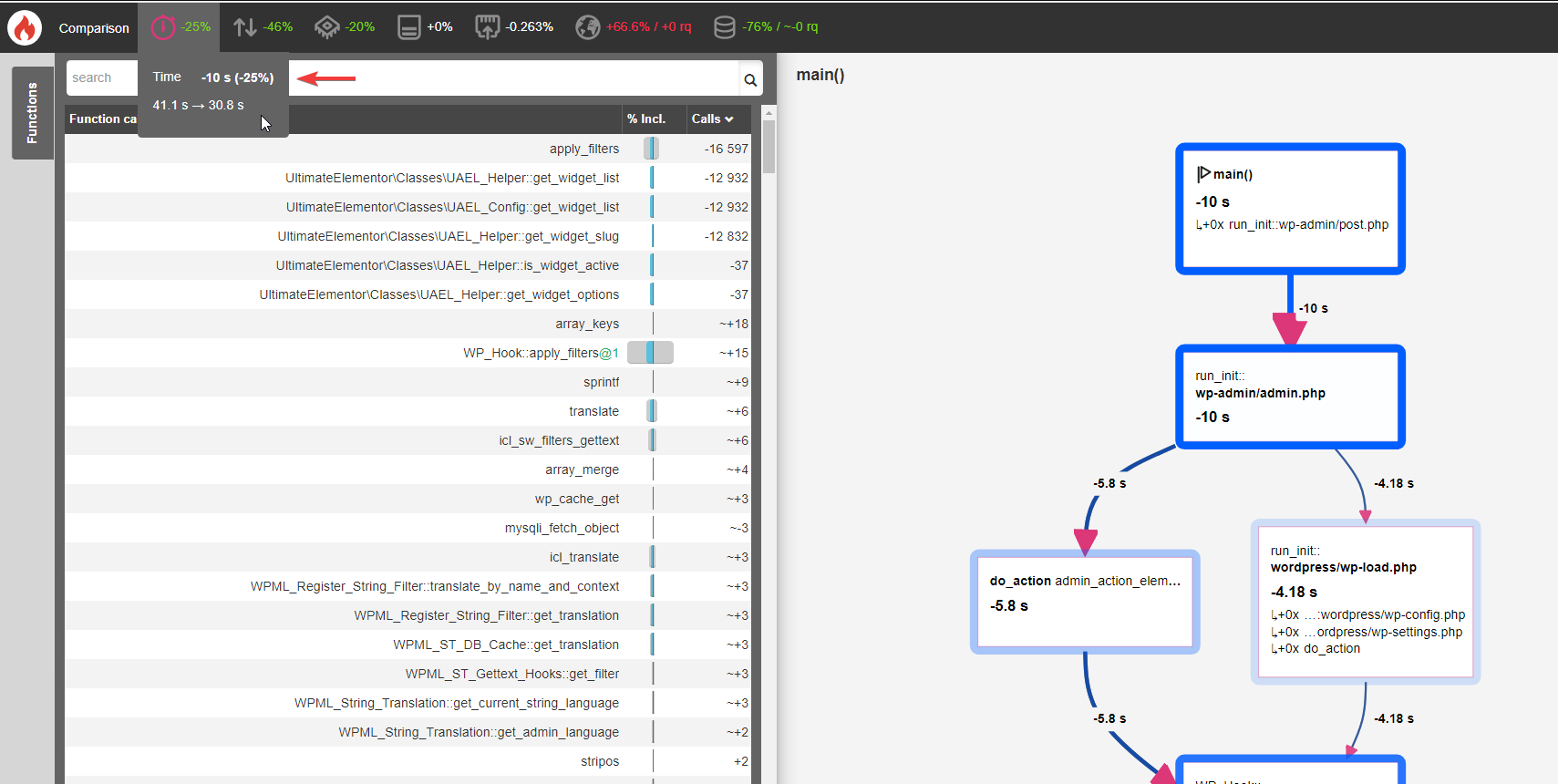
You can now enjoy reduced page load time, clean code and improved performance with UAE.
How to Avail Latest Features?
Just update Ultimate Addons for Elementor to version 1.22.0 and build useful FAQ pages easily for your website.
You can explore our documentation on the FAQ widget. In case you need any help or want to drop us a message you can write to us through our support center.
See you next time! Cheers!